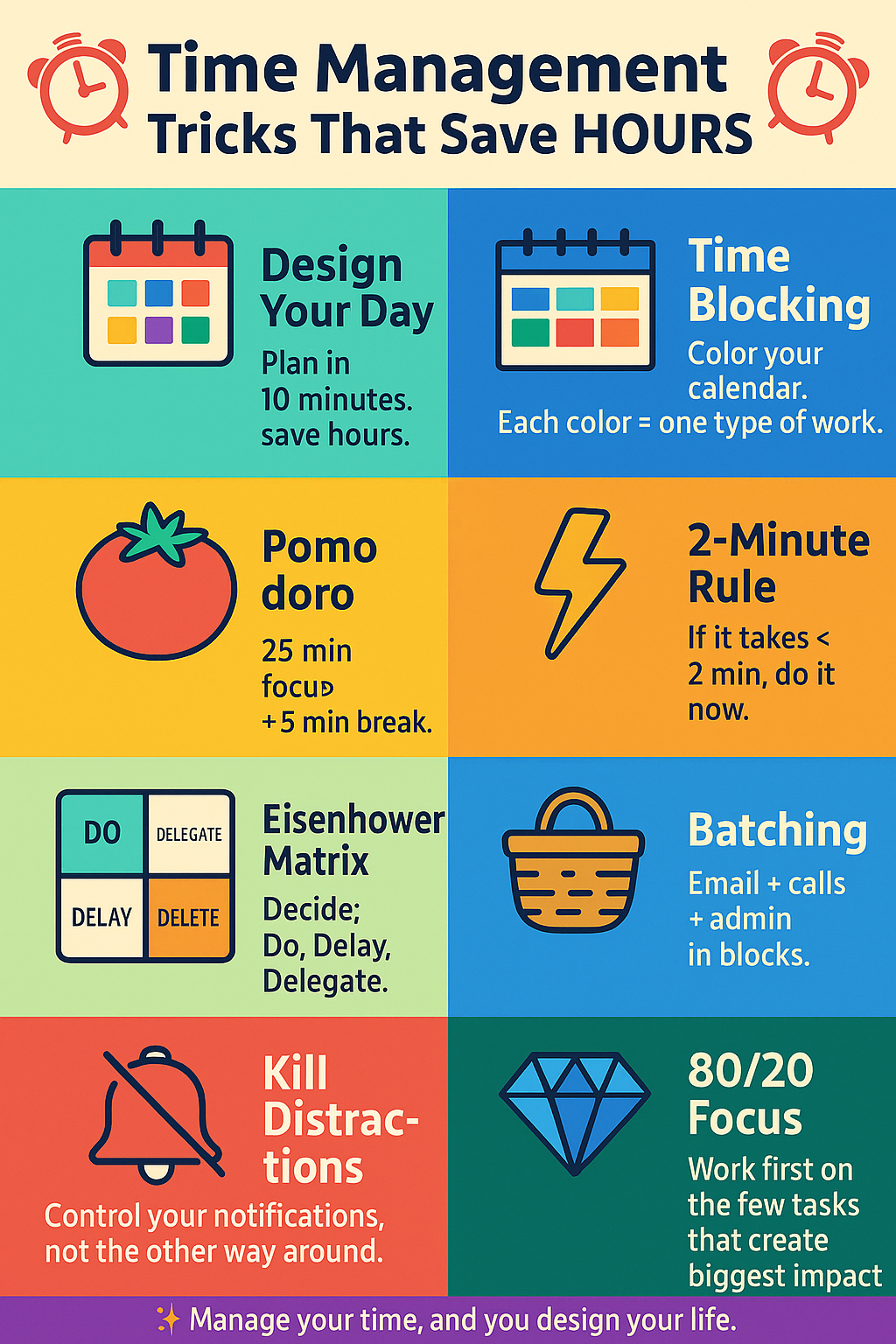
🌈 1. The “Design Your Day” Power Move
(10 Minutes That Save 2–3 Hours)
When: First 10–15 minutes of your day
Goal: Tell your day what to do before it tells you.
Brain Dump (3–4 mins)
Write everything in your head: tasks, calls, ideas, worries. Get it out of your brain and onto paper/notepad/app.
Pick Your Big 3 (3 mins)
Circle 3 Most Important Tasks (MITs) that, if completed, will make the day feel successful.
🎯 1 Deep work task
📩 1 Work/communication task
🧱 1 Progress task (learning, side project, health, etc.)
Block Time for Them (5–8 mins)
On your calendar, reserve slots:
9:00–10:30 → Project Deep Work
11:00–11:30 → Emails / Calls
5:30–6:00 → Learning / Side project
💡 Color clue: Highlight your Big 3 in bright yellow. These are “non-negotiable”.
Instead of a to-do list only, divide your day into colored time blocks.
🟦 Deep Work / Study
🟩 Meetings / Calls
🟧 Admin (email, bills, forms)
🟥 Breaks / Meals / Walks
You always know what you should be doing now.
You avoid the “What should I do next?” time-waste.
Less decision fatigue = more energy for real work.
Pomodoro = 25 minutes Focus + 5 minutes Break
Choose 1 clear task.
Work 25 minutes without checking phone/social media.
Take a 5-minute break (stretch, water, breathe).
After 4 cycles, take a longer 20–30 minute break.
Breaks prevent burnout.
Short sprints make big tasks feel smaller.
You can measure your day in “pomodoros” instead of blurry hours.
🧩 Try this: Mark each completed Pomodoro with a ✅ in your notebook. It gives a visual sense of progress.
If a task takes less than 2 minutes, do it right now:
Reply “Yes/No” to a short message
Save a contact
Put a file into the correct folder
Throw something in the dustbin
These tiny tasks pile up and create mental clutter. Clearing them immediately keeps your head clear for big work.
💥 Think of it as a “micro-vacuum cleaner” for your to-do list.
Draw a big “+” on a page and make 4 quadrants:
| ⏰ Urgent | 🌱 Not Urgent | |
|---|---|---|
| ⭐ Important | Do now | Plan it (schedule time block) |
| ❌ Not Important | Delegate / automate if possible | Delete / ignore / say NO |
Instead of reacting to everything, you decide:
Some tasks must be done 🟢
Some can be delayed 🟡
Some should be delegated 🔵
Some should be deleted 🔴
🎯 Use bright colors for each box to train your brain: Red = delete, Green = do, etc.
Multitasking is a time killer because you constantly switch context.
📩 Answer emails + WhatsApp + DMs in one or two fixed slots (e.g., 11:30–12:00 & 4:30–4:45)
📑 Do all documentation/admin in a single 45–60 min block
📞 Make all calls one after another
Switching tasks repeatedly can waste minutes each time, which becomes hours per week.
🔄 Batch = “production line” for your brain.
Mobile notifications
Social apps
Constantly checking email
Random YouTube/shorts “just for 2 minutes” (we know it’s never 2 minutes 😅)
Put phone on Do Not Disturb during deep work.
Move social apps to last screen or log out after use.
Use website blockers for distracting sites during focus time.
Keep only the tab you’re working on open.
🔔 Rule: You open apps when you decide, not when they ping you.
Often, 20% of tasks give 80% of the results.
Look at your tasks and ask:
Which few tasks move my project/career/studies forward the most?
If I could only do 3 things today, what would they be?
Highlight those in bold color. That’s where your time should go first.
Stop reinventing the wheel every time.
📧 Email replies (leave blanks to customize)
📝 Meeting notes format
✅ Checklists for repeated tasks (video upload, report writing, client onboarding, etc.)
Once created, templates can save 10–30 minutes every time you use them.
🧰 Think of templates as colorful “shortcuts” in your work life.
Time alone is not enough. You need energy.
Don’t skip meals — keep blood sugar stable.
Drink enough water.
Tiny 5–10 minute walks or stretches between blocks.
Sleep is not optional; it is brain maintenance.
High energy = you finish 2 hours of work in 1.
Low energy = you take 3 hours to do 1 hour of work.
Once a week (e.g., Sunday evening), do a colorful review:
✅ List what you completed (use green).
😵 Note where you wasted time (use red).
🛠 Decide one change for next week:
Maybe fewer meetings
Longer deep work block
Stricter phone rules
📌 Small weekly tweaks compound into massive yearly time savings.
 Continue With Google
  Yoga
Yoga
 Health

