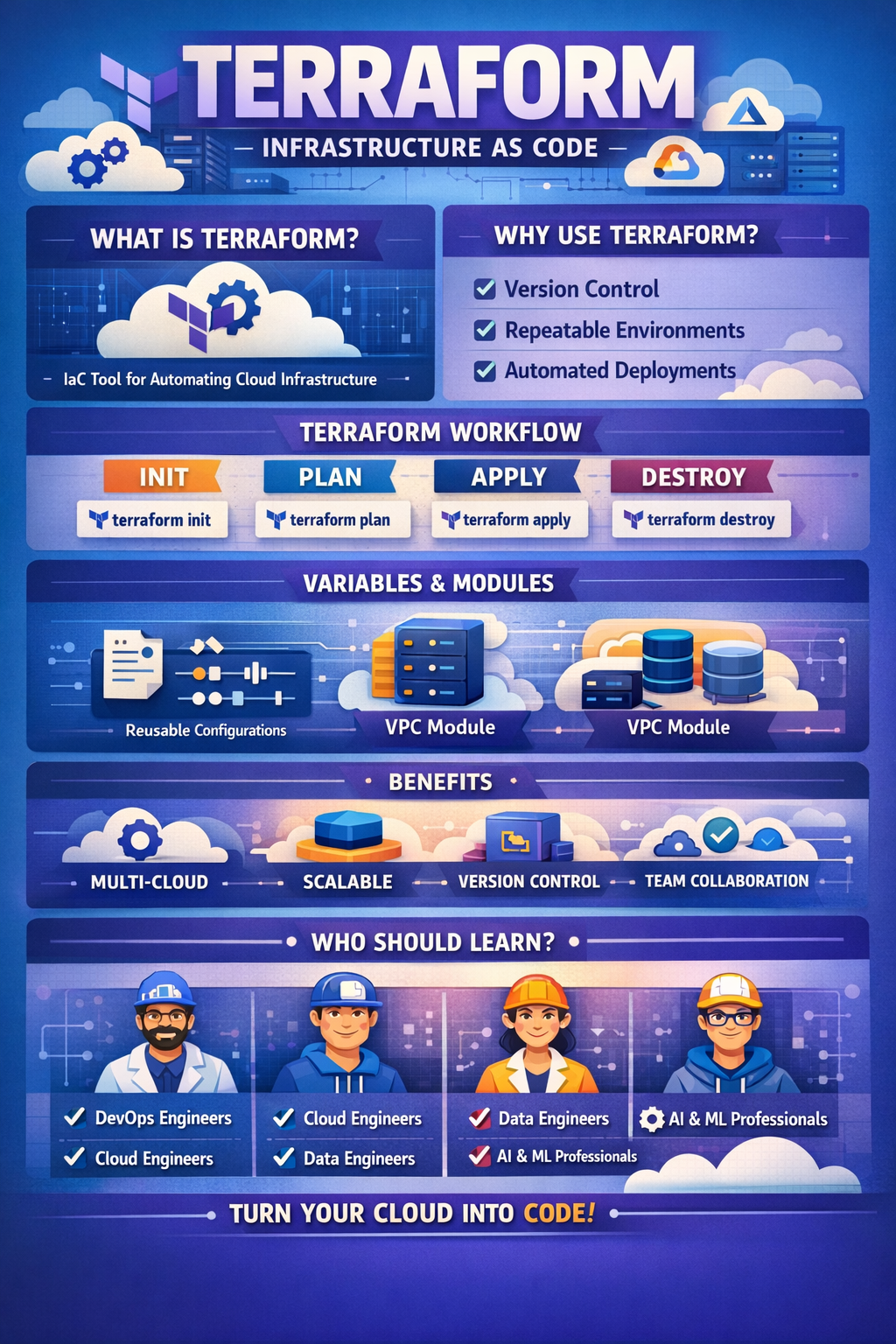
Terraform is an Infrastructure as Code (IaC) tool developed by HashiCorp.
It allows you to define, provision, and manage infrastructure (servers, databases, networks, cloud services, etc.) using declarative configuration files.
Instead of manually creating resources through cloud dashboards (AWS Console, Azure Portal, GCP UI), you write code, and Terraform automatically creates, updates, or deletes infrastructure to match that code.
Traditional infrastructure management problems:
Manual setup → error-prone
No version control
Hard to replicate environments (dev, test, prod)
Difficult rollback and auditing
Terraform solves this by:
Making infrastructure repeatable
Enabling version control (Git)
Supporting automation & CI/CD
Allowing safe change tracking
IaC means:
Infrastructure is written as code
Stored in repositories
Reviewed, tested, and versioned like application code
Terraform uses declarative syntax, meaning:
You define what you want, not how to do it
Example idea:
“I want 2 EC2 instances and a VPC”
Terraform figures out how to create them.
Providers are plugins that allow Terraform to interact with external platforms.
Examples:
AWS
Azure
Google Cloud
Kubernetes
GitHub
Docker
Each provider exposes resources and data sources.
Resources are the actual infrastructure objects.
Examples:
Virtual machines
Databases
Load balancers
Storage buckets
IAM users
Resources are defined in .tf files.
Terraform configuration files are written in HCL (HashiCorp Configuration Language).
Characteristics:
Human-readable
Declarative
JSON-like but simpler
Example structure:
provider.tf
main.tf
variables.tf
outputs.tf
Terraform follows a standard lifecycle:
terraform initInitializes a project
Downloads providers
Sets up backend
Prepares working directory
terraform planShows what will change
No real infrastructure changes
Acts like a “dry run”
You can see:
Resources to be created
Modified
Destroyed
terraform applyApplies the planned changes
Creates/updates infrastructure
Asks for confirmation (unless auto-approved)
terraform destroyDeletes all resources managed by Terraform
Useful for cleanup or cost control
Terraform maintains a state file (terraform.tfstate).
A mapping between:
Terraform configuration
Real infrastructure
Stored in JSON format
To know what already exists
To calculate changes
To avoid recreating resources
Local file (default)
Remote backend:
AWS S3
Azure Blob
GCS
Terraform Cloud
Remote state enables:
Team collaboration
State locking
Better security
Variables make Terraform dynamic and reusable.
Types:
String
Number
Boolean
List
Map
Object
Defined in:
variables.tf
.tfvars files
Environment variables
This allows:
Different environments (dev, prod)
Reusability across projects
Outputs are used to:
Display important values after apply
Pass values to other Terraform modules
Integrate with CI/CD pipelines
Examples:
Public IP of server
Database endpoint
Load balancer URL
Modules are reusable Terraform components.
Think of modules as:
Functions in programming
Benefits:
Clean code
Reusability
Standardization
Example use cases:
VPC module
EC2 module
Kubernetes cluster module
Terraform has:
Local modules
Remote modules
Public Terraform Registry modules
Terraform automatically:
Understands resource dependencies
Creates resources in correct order
Deletes in reverse order
You usually don’t need to specify dependencies manually.
But you can use:
Implicit dependencies
depends_on when needed
Terraform → Infrastructure provisioning
Ansible → Configuration management
Terraform creates servers
Ansible configures servers
They are often used together.
Terraform → Multi-cloud
CloudFormation → AWS-only
Terraform is more flexible for hybrid/multi-cloud setups.
Typical use cases:
Cloud infrastructure provisioning
Multi-environment deployments
Disaster recovery setups
Auto-scaling infrastructure
Kubernetes cluster management
CI/CD infrastructure automation
Use remote state
Separate environments
Use modules
Never hard-code secrets
Use .gitignore for state files
Run terraform plan before apply
Enable state locking
Terraform is ideal for:
DevOps Engineers
Cloud Engineers
Data Engineers
Platform Engineers
Backend Developers working with cloud
Given your Data Science + AI + startup background, Terraform is extremely useful for:
Deploying ML pipelines
Managing cloud infra for AI products
Scaling platforms like Analytical Webs projects
Terraform is:
A powerful IaC tool
Cloud-agnostic
Declarative
Scalable
Production-ready
It turns infrastructure into reliable, repeatable, and version-controlled code.
 Continue With Google
  Programming

