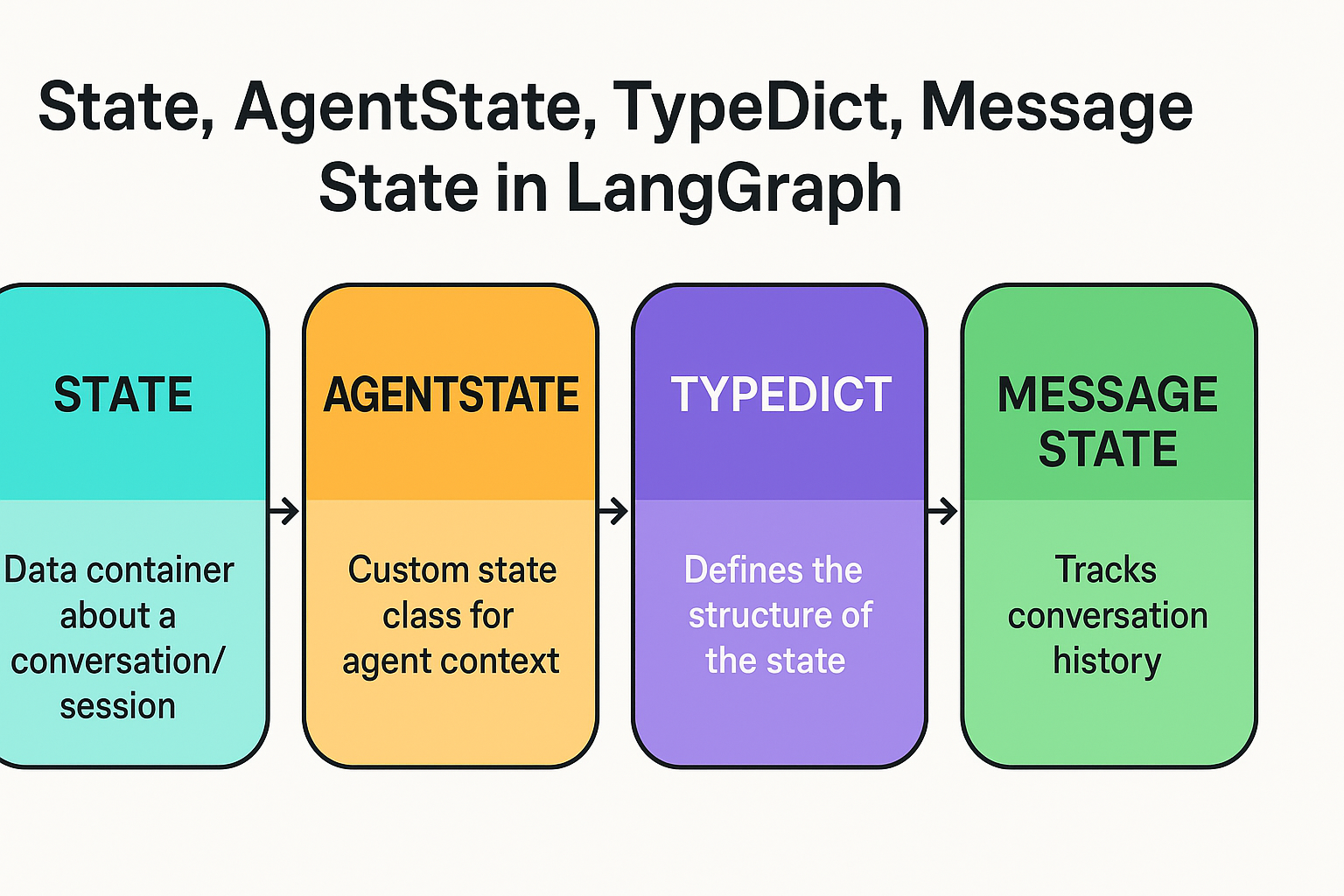
Let’s break down the concepts of State, AgentState, TypeDict, and Message State in LangGraph, using a standard agent flow. This will help you understand how information moves and transforms within a LangGraph application.
LangGraph is a framework for building stateful multi-step agents and conversational workflows on top of LangChain. It enables defining graph-based logic, where nodes represent steps (like calling a tool or LLM), and edges define transitions based on state.
The state in LangGraph is a data container that holds all the relevant information about a conversation/session.
Think of it as a shared memory that gets updated at each node.
Example:
from langgraph.graph import StateGraph

state = {
    "messages": [],  # Chat history
    "tools": [],     # Tool calls and responses
    "step": 0        # Step tracker
}
You define a state as a TypedDict.
typing)A Python way to define the structure of the state.
It is used to validate and annotate what keys your state can contain.
Example:
from typing import TypedDict, List
from langchain_core.messages import BaseMessage

class AgentState(TypedDict):
    messages: List[BaseMessage]
    step: int
This tells LangGraph that your
AgentStatemust contain a list of messages and an integer step.
This is a custom class (usually a TypedDict) that defines what your agent remembers and works with across steps.
It is your operational state model for the agent’s context.
Example (continued):
class AgentState(TypedDict):
    messages: List[BaseMessage]
    step: int
You can expand this with other items like:
tools_used: List[str]
user_input: str
final_output: str
messages in the state usually refer to a list of LangChain BaseMessage objects.
These track the full conversation (user, AI, tool messages).
It’s important for context passing to LLMs and tools.
from langchain_core.messages import HumanMessage, AIMessage

messages = [
    HumanMessage(content="What's the weather?"),
    AIMessage(content="Where are you located?")
]
Here’s a simple LangGraph-based agent flow using a graph:
graph TD
    Start((Start)) --> Node1[Receive Input]
    Node1 --> Node2[Call LLM]
    Node2 --> Node3[Check for Tool Calls]
    Node3 -- Tool Call --> Node4[Call Tool]
    Node4 --> Node5[Update State]
    Node3 -- Final Answer --> End((End))
    Node5 --> Node2
Let’s sketch a minimal example:
from typing import TypedDict, List
from langchain_core.messages import BaseMessage, HumanMessage
from langgraph.graph import StateGraph, END

# Step 1: Define your State
class AgentState(TypedDict):
    messages: List[BaseMessage]
    step: int

# Step 2: Define your Node functions
def receive_input(state: AgentState) -> AgentState:
    user_msg = HumanMessage(content="Tell me a joke.")
    return {
        **state,
        "messages": state["messages"] + [user_msg],
        "step": state["step"] + 1
    }

def call_llm(state: AgentState) -> AgentState:
    # Dummy LLM reply
    from langchain_core.messages import AIMessage
    ai_msg = AIMessage(content="Why did the chicken cross the road? To get to the other side!")
    return {
        **state,
        "messages": state["messages"] + [ai_msg],
        "step": state["step"] + 1
    }

# Step 3: Create the Graph
builder = StateGraph(AgentState)
builder.add_node("input", receive_input)
builder.add_node("llm", call_llm)

# Define the flow
builder.set_entry_point("input")
builder.add_edge("input", "llm")
builder.add_edge("llm", END)

# Build and run the graph
graph = builder.compile()

initial_state: AgentState = {"messages": [], "step": 0}
final_state = graph.invoke(initial_state)

for msg in final_state["messages"]:
    print(f"[{msg.type}] {msg.content}")
| 🧱 Term | 🔍 What it Represents | 🧰 Example |
|---|---|---|
| State | The evolving memory of the agent | {"messages": [...], step: 2} |
| AgentState | Your defined state type via TypedDict |
class AgentState(TypedDict) |
| TypeDict | Python structure to type-check state dicts | step: int, messages: List[...] |
| Message State | List of BaseMessage that tracks conversation history |
HumanMessage, AIMessage |
 Continue With Google
  Programming

