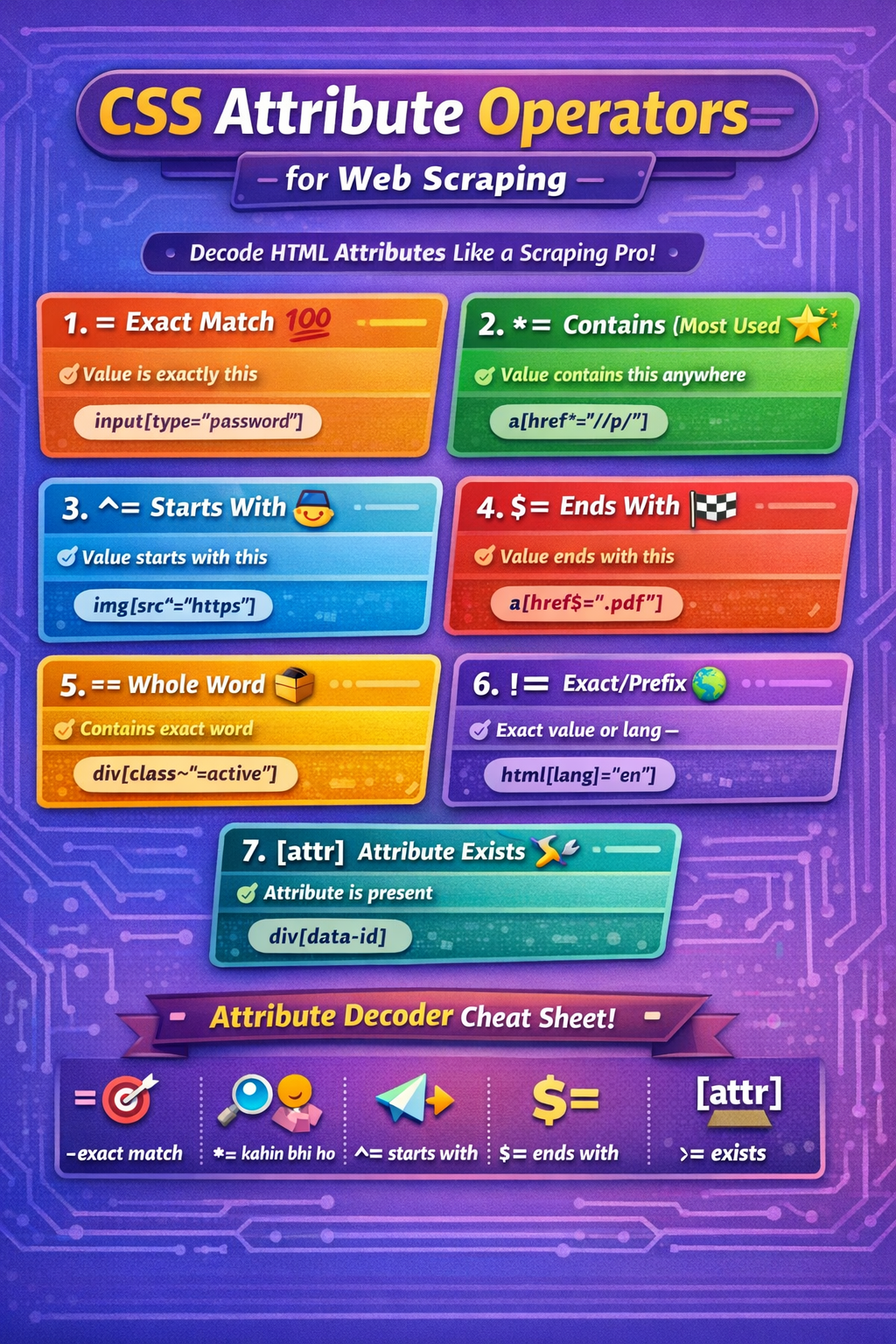
🎯 CSS Attribute Operators for Web Scraping
(Your Selector Superpowers)
Think of attribute operators as filters that help you find the exact HTML element you want.
= → Exact MatchSelect element only if the attribute value is exactly the same
“Value must be 100% same”
input[type="password"]
Login forms
Specific buttons
Fixed attributes
*= → Contains (Most Used ⭐)Select element if attribute contains this text anywhere
“Kahin bhi ho” 😄
a[href*="/p/"]
Product links
Dynamic URLs
Blog posts
Search result links
🏆 Best for unstable websites (Flipkart, Amazon)
^= → Starts WithAttribute value must start with given text
“Shuruaat isse ho”
a[href^="https"]
Secure links
API endpoints
CDN resources
$= → Ends WithAttribute value must end with given text
“Ant mein ye ho”
a[href$=".pdf"]
PDFs
Images
Downloads
~= → Contains Whole WordMatches complete word only, not partial text
“Word boundary ka dhyaan”
div[class~="active"]
Class lists
State indicators (active, selected)
❌ Won’t match inactive
✅ Matches active
|= → Exact OR Hyphen-PrefixedMatches:
Exact value
OR value followed by -
“Language / region pattern”
html[lang|="en"]
Matches:
en
en-US
en-IN
Language detection
International sites
Select element if attribute exists, value doesn’t matter
“Bas hona chahiye”
div[data-id]
Product cards
IDs
Tracking attributes
💡 Very powerful for e-commerce scraping
| Operator | Meaning | Best Use |
|---|---|---|
= | Exact match | Forms |
*= | Contains | Product URLs |
^= | Starts with | Secure links |
$= | Ends with | Files |
~= | Whole word | Classes |
| ` | =` | Prefix / language |
[attr] | Exists | Product blocks |
✅ Prefer URL patterns over class names
✅ Use *= when site is dynamic
❌ Avoid auto-generated classes
✅ Combine selectors smartly
item.find_element(By.CSS_SELECTOR, "a[href*='/p/']")
Why this works:
/p/ = product page
Stable
Clean
Future-proof
=→ exact*=→ kahin bhi^=→ shuru$=→ end~=→ poora word|=→ language[attr]→ bas ho
 Continue With Google
  Programming

