🧩 The Big Picture
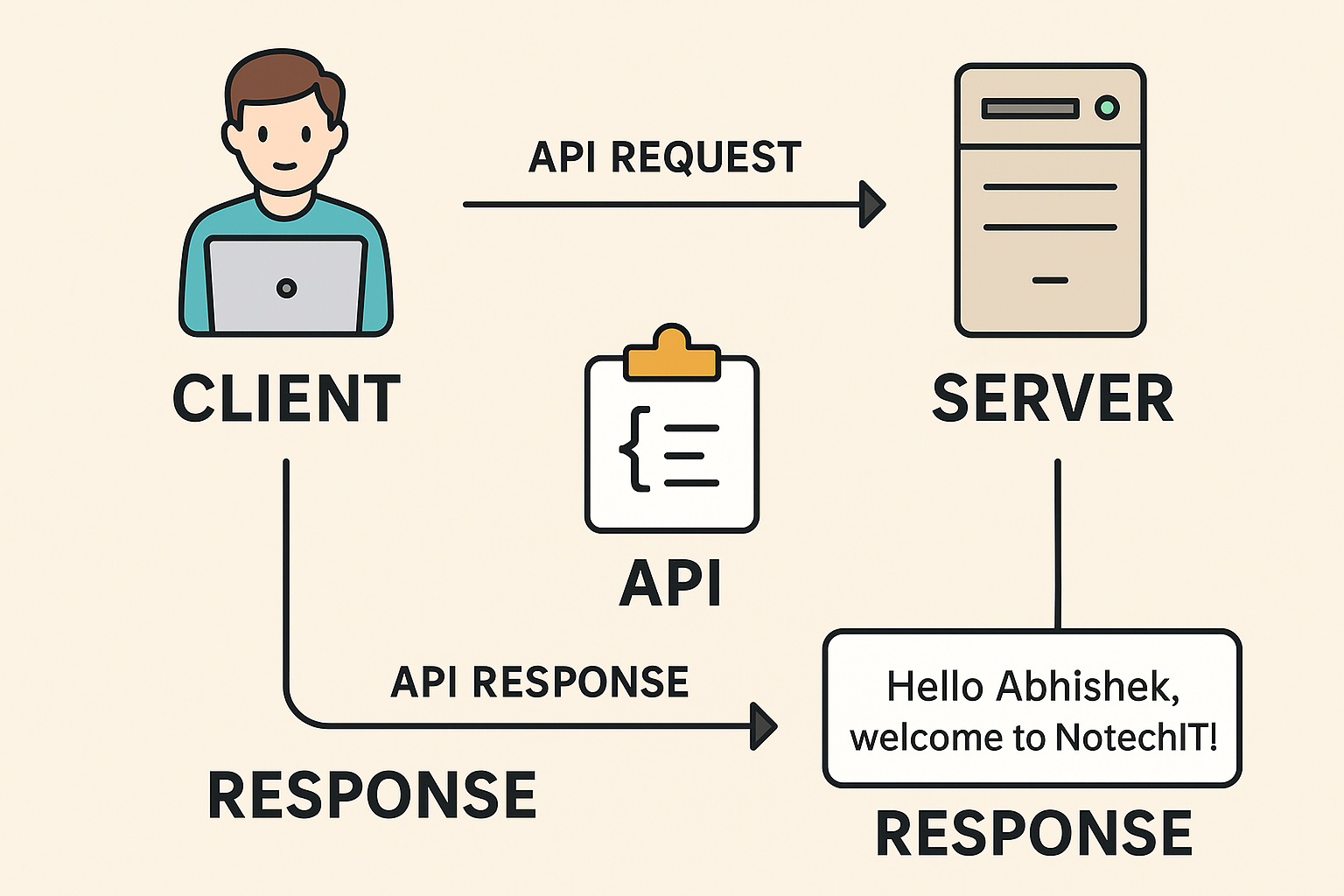
When you open a website, use a mobile app, or even talk to Alexa — a “client” (you or your device) is asking for something, and a “server” is the one giving it back.
This entire back-and-forth conversation is made possible using APIs (Application Programming Interfaces) — like waiters passing your order between you and the kitchen.
| Term | Real-Life Example | Tech Equivalent |
|---|---|---|
| 🧑💼 Client | You sitting at the restaurant table | Your browser, phone app, or computer |
| 🧾 API | The waiter who takes your order to the kitchen | The middleman that carries your request to the server |
| 👨🍳 Server | The kitchen that prepares your food | The computer that processes your request and gives a response |
| 🍲 Response | The food delivered back to your table | The data returned (like a webpage, image, or JSON data) |
You (the client) want something — like opening www.notechit.com.
Your browser sends a request to that website’s server asking:
“Hey, please give me the homepage of Notechit.”
This is like you telling the waiter:
“I want a pizza!”
The server is a powerful computer (somewhere in the cloud) that receives your message.
It’s like the restaurant kitchen receiving your pizza order.
It checks:
What is the client asking for?
Do I have permission to give it?
How should I prepare the answer?
The server does the work — maybe fetching data from a database, or performing logic.
Then it sends a Response back to the client.
For example:
{
  "message": "Welcome to Notechit!",
  "status": 200
}
That’s like the kitchen preparing your pizza 🍕 and the waiter bringing it to you.
Finally, your browser or app shows you what the server sent —
that could be:
A webpage
An image
A message
Some data
You just see the final “pizza,” not how it was made behind the scenes.
APIs use HTTP Methods — think of them as types of restaurant orders.
Each tells the server what kind of action you want to perform.
| Method | Purpose | Analogy |
|---|---|---|
| GET | Fetch something | “Can I see the menu?” |
| POST | Add or send something | “I’d like to order a pizza.” |
| PUT | Update or replace something | “Change my pizza topping to mushrooms.” |
| PATCH | Partially update something | “Add olives only.” |
| DELETE | Remove something | “Cancel my pizza order.” |
So when your app sends:
GET /users
It means — “Please get me all users.”
And if it sends:
POST /users
It means — “I want to create a new user.”
Here’s what happens technically:
Client → sends HTTP request → https://api.notechit.com/getUser
Internet (Network) → delivers request → to the Server
Server → processes, gets data from Database
Server → sends HTTP response → back to Client
Client → interprets and displays data on screen
Let’s see how it works in Python using FastAPI:
from fastapi import FastAPI

app = FastAPI()

@app.get("/welcome")
def greet_user():
    return {"message": "Hello Abhishek, welcome to Notechit!"}
👉 When you open http://127.0.0.1:8000/welcome
Client (browser) sends GET /welcome
Server (FastAPI app) receives it, runs greet_user()
Sends back JSON response: {"message": "Hello Abhishek, welcome to Notechit!"}
| Concept | Meaning | Analogy |
|---|---|---|
| Client | Who asks for something | You at a restaurant |
| Server | Who provides the answer | The kitchen |
| API | The messenger between both | The waiter |
| Request | The order | What you want |
| Response | The delivery | What you get |
| HTTP Methods | Type of action | Order type (get, post, update, cancel) |
[ CLIENT ]  --->  [ API Request ]  --->  [ SERVER ]
     ↑                                   ↓
     <---  [ API Response ]  <------------
 Continue With Google
  Programming

